

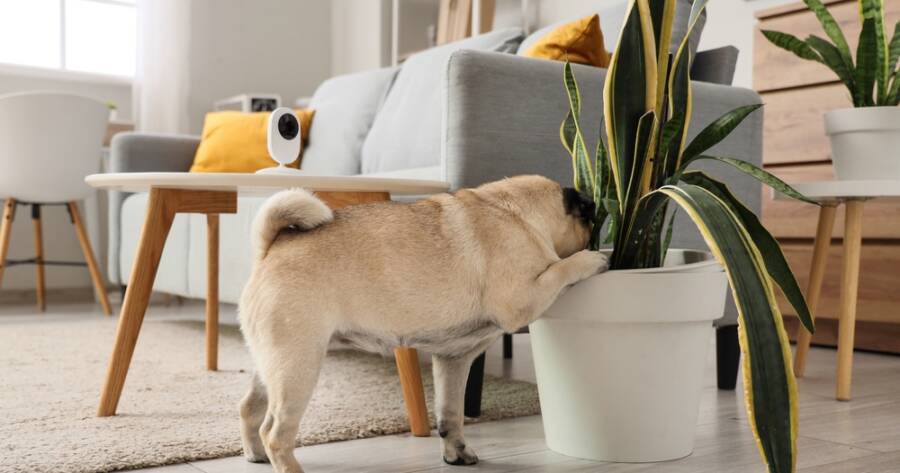
Leaving a pet home alone can raise questions about barking, scratching, pacing, eating, or simply settling down for a nap. A well-placed pet camera lets you check live video, hear activity, and sometimes speak to your dog or cat from another location. Some models also add treat dispensers and pet-specific alerts, while simpler security cameras cover the essentials for a lower cost. Choosing carefully can provide reassurance without paying for features your household won’t regularly use.
Pet Cameras at a Glance
| Camera | Best For | Helpful Features | Important Consideration |
|---|---|---|---|
| Furbo 360° Dog Camera | Dogs that benefit from interaction | 360° rotating view, dog tracking, barking alerts, two-way audio, night vision, and treat tossing | Many advanced alerts and video history require a Furbo Nanny subscription |
| Petcube Cam 360 | Affordable pet monitoring | Pan-and-tilt viewing, two-way audio, night vision, smart alerts, privacy mode, and optional vet chat | Doesn’t dispense treats or include interactive features |
| Petcube Bites 2 Lite | Rewarding pets while you’re away | Wide-angle video, two-way audio, night vision, treat tossing, and motion/sound detection | Fixed camera angle and some advanced features require a subscription |
| Tapo C225 | High-quality video with local storage | 2K video, pan-and-tilt coverage, motion tracking, pet detection, two-way audio, privacy mode, and local microSD storage | General security camera without pet-specific features like treat tossing |
| Wyze Cam Pan v3 | Flexible home monitoring on a budget | Pan-and-tilt coverage, motion tracking, color night vision, two-way audio, local storage, and weather-resistant design | Some advanced alerts and cloud recording require a Cam Plus subscription |
Furbo 360° Dog Camera Is Built Around Canine Behavior
The Furbo 360° Dog Camera is designed specifically for dog owners who want more than a basic live feed. It provides 1080p video, a rotating 360-degree view, automatic dog tracking, night vision, barking alerts, two-way audio, and remote treat tossing. The camera can rotate as a dog moves around the room, reducing the chance that an active pet will disappear outside a fixed viewing angle. Owners can also adjust the barking alert sensitivity when normal household sounds create too many notifications.
Furbo works best for dogs that respond positively to a familiar voice or occasional treat. However, talking through a speaker can confuse or excite some pets, so owners should test the feature while still nearby. Furbo’s more advanced alerts, cloud clips, daily highlight videos, and emergency notifications are connected to the Furbo Nanny service. Families should compare the included features with the subscription features before buying. A simpler camera may be enough when the main goal is occasionally checking whether a dog is sleeping peacefully.
Pros
- Rotating view follows movement around the room
- Provides real-time barking alerts
- Includes two-way audio and remote treat tossing
- Offers standard and color night vision
- Designed around dog behavior rather than general security
Cons
- Advanced monitoring features may require a subscription
- Limited to 2.4 GHz Wi-Fi
- Treat tossing may overexcite food-motivated dogs
- Its dog-focused tools may be less useful for cats
Petcube Cam 360 Offers Straightforward Pet Monitoring
Petcube Cam 360 is a compact option for owners who want pet-focused features without a treat dispenser. It provides 1080p live video, pan-and-tilt movement, an eight-times digital zoom, two-way audio, and night vision that reaches up to 30 feet. The app can send alerts triggered by motion or sound, and the camera includes a privacy mode that blocks the lens view when monitoring isn’t needed. It can sit on furniture or use a mounting bracket for a higher viewpoint.
The camera can work well in a living room, pet room, or apartment where a dog or cat moves between several resting spots. Petcube also offers optional cloud history and more specific smart alerts through Petcube Care. Access to online veterinary conversations may appeal to owners who want quick general guidance, although virtual support isn’t a substitute for urgent or hands-on veterinary care. Because there’s no treat dispenser or laser, Cam 360 is better viewed as a monitoring and communication tool rather than a source of remote entertainment.
Pros
- Provides rotating coverage at an approachable entry point
- Includes two-way audio and automatic night vision
- Offers a lens-blocking privacy mode
- Can send sound and motion notifications
- Works for both dogs and cats
Cons
- Doesn’t toss treats
- Doesn’t include an interactive laser toy
- Cloud history and advanced alerts may require Petcube Care
- Rotating coverage still depends on thoughtful placement
Petcube Bites 2 Lite Makes Treats Part of the Check-In
Petcube Bites 2 Lite combines a pet camera with a remote treat dispenser. It offers 1080p video, a 160-degree wide-angle lens, eight-times digital zoom, automatic night vision, and two-way audio. Owners can use the Petcube app to fling treats from another location, which may help reinforce calm behavior or add a brief activity to a pet’s day. The container holds up to 1.5 pounds of treats and includes inserts that help control how many pieces are released.
Unlike a rotating camera, Bites 2 Lite relies on its wide fixed view, so placement matters. Set it where a pet naturally spends time and test the treat path before leaving home. Treats need to meet the manufacturer’s size and shape guidance to reduce jams. Sound and motion events can trigger recordings through the optional Petcube Care service, while the standard camera remains useful for live viewing and communication. Owners should include dispensed treats in their pet’s daily food intake rather than treating every remote check-in as an extra snack.
Pros
- Combines monitoring with remote treat tossing
- Offers a wide 160-degree viewing angle
- Includes two-way audio and night vision
- Holds a relatively large supply of treats
- Can be useful for reward-based routines
Cons
- Fixed view can leave areas outside the frame
- Treats must fit the dispenser correctly
- Cloud recordings and advanced alerts may cost extra
- Frequent treat tossing can add unnecessary calories
Tapo C225 Delivers Detailed Video Without Pet-Specific Extras
The Tapo C225 is technically a home security camera, but many of its features are useful for pet monitoring. It records in 2K resolution and provides 360-degree pan-and-tilt coverage, fast motion tracking, pet detection, two-way audio, and customizable activity zones. Its low-light sensor and optional invisible infrared mode can monitor a sleeping pet without the visible red lights found on some cameras. The physical privacy feature turns the lens into the housing when owners want monitoring visibly disabled.
Tapo may be a strong fit for owners who care more about clear footage, privacy, and storage choices than treats or pet-themed app features. Video can be stored on a compatible microSD card, while Tapo Care provides optional cloud services. Local storage can help reduce dependence on a monthly subscription, although owners still need to purchase and maintain the memory card. Pet detection may reduce alerts caused by unrelated movement, but no consumer camera can interpret every behavior accurately. Owners should review footage rather than assuming every notification signals a problem.
Pros
- Captures sharper 2K video
- Tracks movement across a room
- Identifies pets through built-in detection
- Supports local microSD storage
- Includes a clear physical privacy mode
Cons
- Doesn’t dispense treats
- Lacks pet-specific daily diaries or wellness features
- Local storage requires a separate memory card
- More security settings may mean a longer setup process
Wyze Cam Pan v3 Works in More Than One Setting
Wyze Cam Pan v3 provides 1080p video, 360-degree horizontal movement, 180-degree vertical movement, automatic motion tracking, and color night vision. It can send motion and sound alerts, support two-way audio, and patrol up to four customized viewpoints through its Pan Scan feature. The camera is IP65 weather-resistant, making it more flexible than many indoor-only pet cameras when owners want to watch a covered patio, enclosed porch, kennel area, or another suitable location with access to power and Wi-Fi.
Wyze supports microSD storage, which can be valuable for owners who prefer local recording. However, advanced notifications, including some pet-related sound recognition, are connected to the Cam Plus subscription. The camera’s broad movement range is helpful when a pet roams, but automatic tracking may also follow people or unrelated motion. Activity zones and customized patrol points can reduce unnecessary movement. Since it’s a general security camera, owners won’t receive a built-in treat dispenser, pet diary, or integrated veterinary support.
Pros
- Offers extensive pan-and-tilt movement
- Supports automatic tracking and patrol points
- Provides color night vision
- Allows local microSD storage
- Can work in appropriate indoor or outdoor areas
Cons
- Some advanced alerts require Cam Plus
- Doesn’t include a treat dispenser
- Only supports 2.4 GHz Wi-Fi
- General motion tracking isn’t always pet-specific
How to Choose the Right Pet Camera
Start by considering where your pet spends time while alone. A rotating camera is helpful when a dog walks between several areas of one room, while a fixed wide-angle model may be enough for a cat that sleeps near the same window. Multiroom access may require more than one camera regardless of how far a single model rotates. Before buying, identify available outlets, Wi-Fi strength, mounting options, and surfaces your pet can reach.
Next, decide whether interactive features will genuinely help. Treat dispensers can support training and make check-ins enjoyable, but they aren’t essential for monitoring. Two-way audio may calm one pet and confuse another. Local storage can also reduce subscription dependence, while cloud recording offers convenient access when a camera is damaged or removed. Families should also check which alerts are included at no extra cost because basic motion notifications and advanced pet recognition are often placed in different service tiers.
Questions worth asking include:
- Does your pet stay in one room or move throughout the home?
- Do you need a rotating view or will a wide fixed lens work?
- Will you use treat tossing regularly and responsibly?
- Do you want local recordings, cloud storage, or only live video?
- Which alerts work without a subscription?
- Can the lens be physically covered when privacy matters?
- Does the camera support your home’s Wi-Fi network?
- Could your pet knock over, chew, or unplug the device?
How To Place and Use the Camera Safely
A pet camera should provide a useful view without creating a new household hazard. Keep electrical cords away from chewing pets and secure excess cable whenever possible. Place tabletop cameras on stable surfaces that can’t be reached by jumping cats or large dogs. Wall mounting can improve the view and protect the device, but owners should follow the manufacturer’s instructions and confirm that the mount can support the camera securely.
Avoid using a camera as a substitute for appropriate care. Watching a dog pace for hours doesn’t solve separation anxiety, and a treat dispenser can’t replace exercise, bathroom breaks, human attention, or veterinary advice. Notifications should help owners notice patterns and respond thoughtfully. Repeated barking, destructive behavior, vomiting, breathing difficulty, collapse, or other concerning signs may require help from a veterinarian, trainer, neighbor, sitter, or emergency service rather than another remote check-in.
Remember Privacy and Account Security
An internet-connected camera can capture more than pet activity. It may also record family conversations, visitors, children, or sensitive parts of the home. Position the camera only where household members expect monitoring, and let guests or pet sitters know when recording is active. Models with lens concealment or privacy modes make it easier to disable viewing without unplugging the entire device.
Further, use a unique account password and turn on multifactor authentication when the service supports it. Keep the camera firmware and mobile app updated, secure the home Wi-Fi network, and avoid sharing account access unnecessarily. Review cloud retention settings and delete clips that no longer need to be stored. Remember that a cheaper camera isn’t a bargain when its privacy settings are confusing, or its software is no longer supported. Security and update practices deserve as much attention as resolution, treat capacity, or appearance.
Staying Connected Without Overcomplicating Pet Care
The best pet camera is one that fits your pet’s routine and solves a specific concern. Start with the monitoring features you’ll actually use, check subscription limits, and place the device safely. A camera can offer reassurance and useful insight, but dependable care, exercise, enrichment, and human attention remain far more important than any app notification.